.png?width=150&height=51&name=Qogita%20logo_black%20(1).png)
If you have a multi-supplier cart, you may end up with some supplier groups below the minimum order value (MOV), making checkout harder. The supplier switch feature lets you move products to another supplier already in your cart.
How to use it
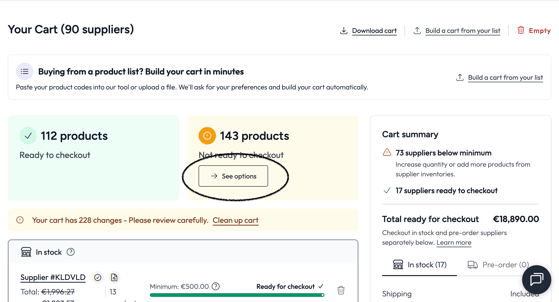
- Open your cart. At the top you'll see two summary cards: "X products ready to checkout" and "X products not ready to checkout".
- Click "See options" under the "Not ready to checkout" tab to open the resolution page.
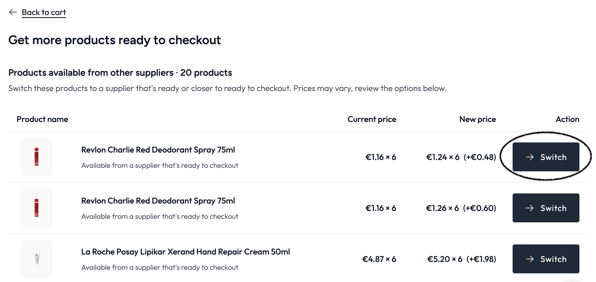
- You'll see a list of products that can be moved to a different supplier. Each row shows the product, what the switch achieves, and the current vs new price.
- Click "Switch" on any row to apply the swap.
⚠️ Swaps are only suggested when they make sense for you: same delivery time, max 10% price increase, full quantity in stock, and your marketplace invoice preferences respected. You stay in full control, nothing changes automatically.